
3D Installation Guide for In-Roof Solar Systems
3D visualizations and 3D installation images for technical installation guides for BRAAS PV systems
For BRAAS, part of the BMI Group, numerous 3D visualizations were created for several installation guides for in-roof solar systems.
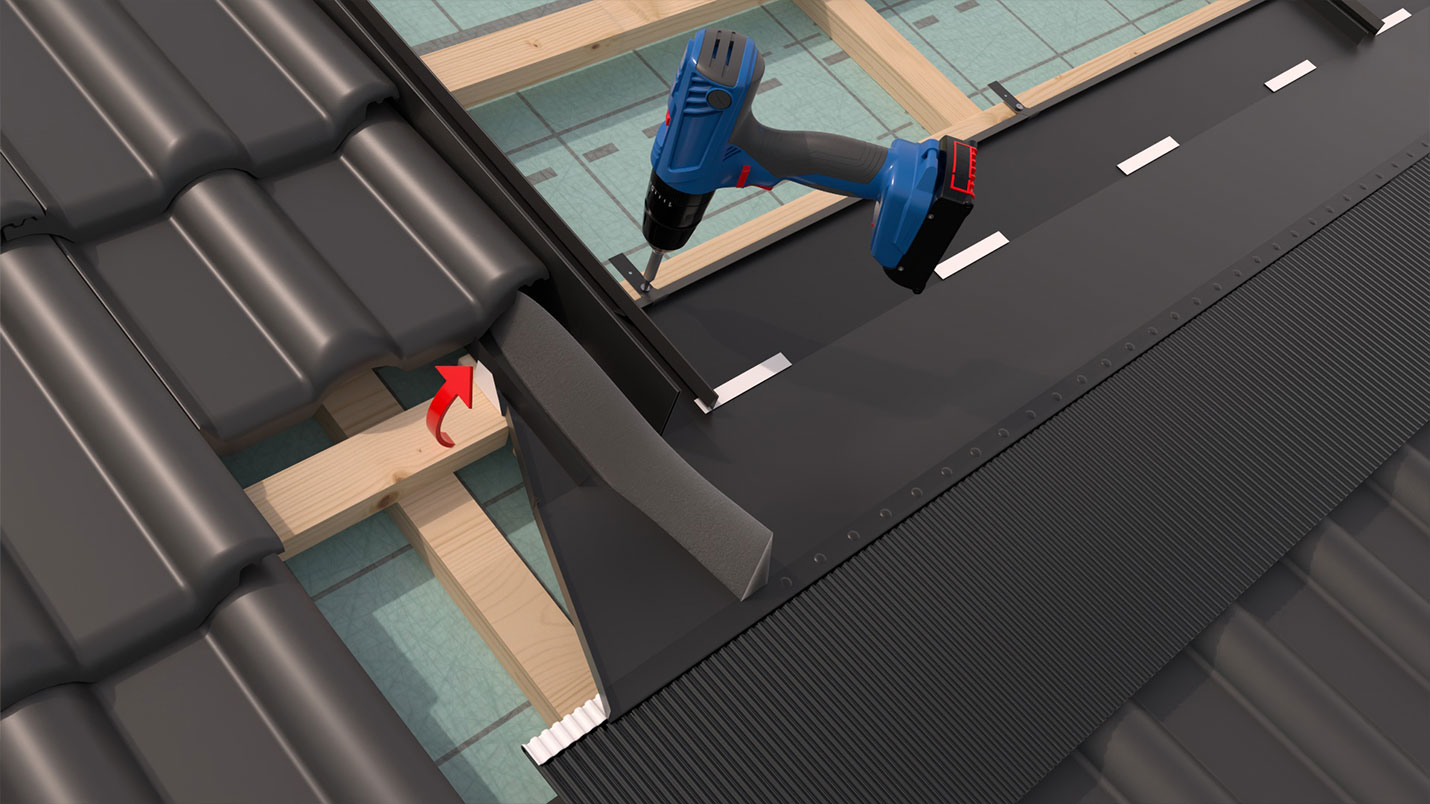
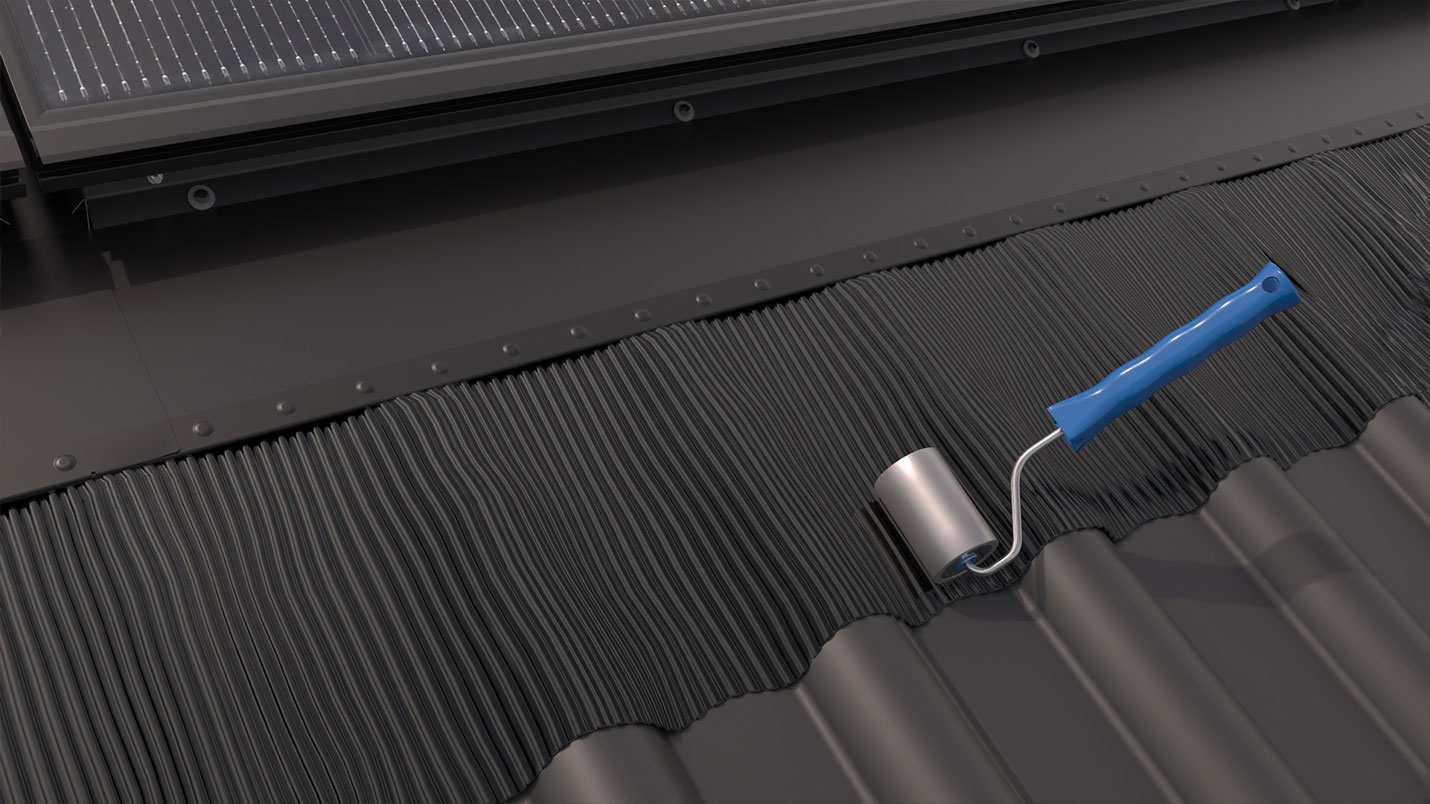
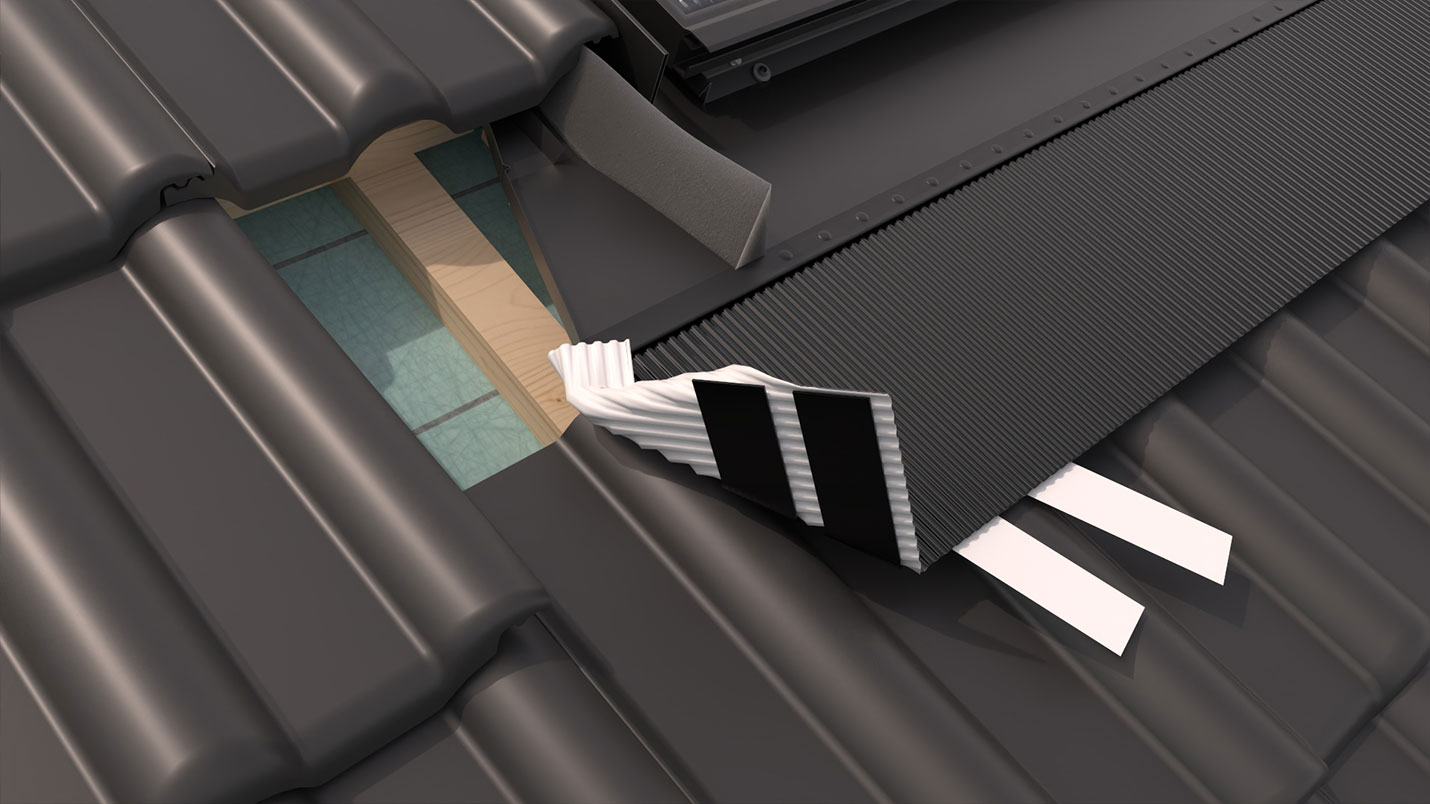
The individual renderings show step by step how solar modules, frames and other system components are integrated into and installed on the roof.
The individual 3D installation images were used by the customer to create an illustrated PDF installation guide that explains the correct installation of the systems to installers step by step.
Before: Every change meant building a new mock-up
To create the installation images, BRAAS initially built a complete roof system as a mock-up. Counter battens, roof tiles and the solar system were installed step by step and documented together with a photographer. This resulted in around 50 to 60 individual images for each installation guide.
If the system later had to be structurally modified or rebuilt for a different roof tile system, the time-consuming process had to start all over again.
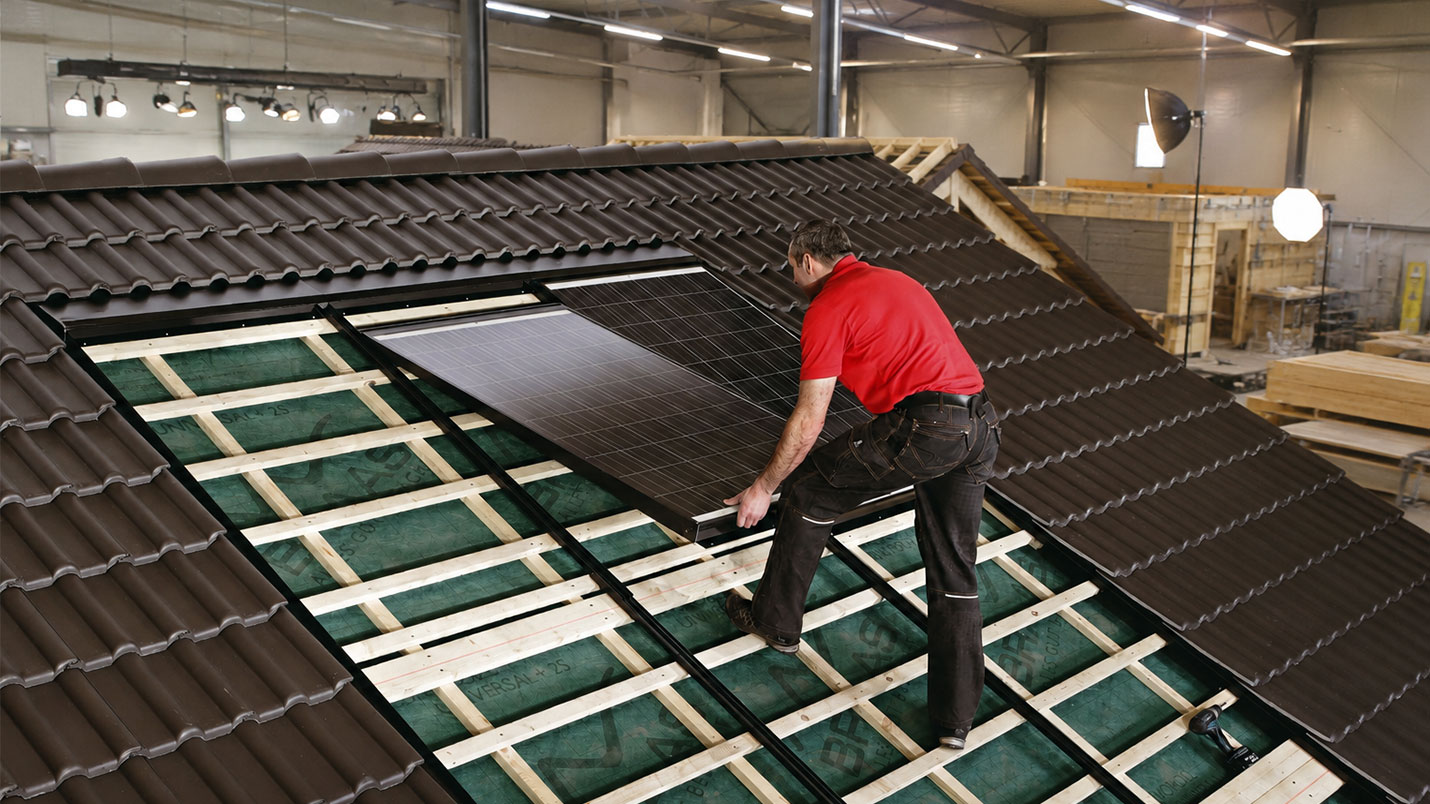
Creation of installation images using a mock-up
Solution: The opportunity for digitalization
When the solar modules previously used were discontinued by the manufacturer, the system had to be structurally modified again.
The appearance of the new modules also differed significantly.
Instead of rebuilding the entire mock-up roof and photographing all installation steps again, the system was implemented entirely in 3D for the first time.
CAD data was imported, prepared, assembled correctly and then rendered as 3D visualizations.
This created a digital foundation that made it significantly easier to implement changes and allowed the required installation images to be re-rendered at any time.
Digitalization of installation images for solar systems
The result: A digital toolkit for installation and product images
The 3D data of the BRAAS PV systems was used to create an extensive series of images for the respective installation guides. The individual installation steps show in detail how modules, frames and other components are professionally installed on the roof. In addition, numerous product and individual component images of the frame components could be created from the existing 3D model.
This resulted in a digital data repository that can not only be used for the current guides, but can also be updated quickly and cost-effectively when future changes are required.
The result for our customer
- Illustrated installation guides for BRAAS PV systems
- Numerous 3D installation images for individual work steps
- Visualization of BRAAS PV Indax and PV Premium
- Product and individual component images of the frame components
- Quick adaptation to design changes
- Replacement of solar modules without a new photo shoot
- Reusable 3D data for future projects
Example: BRAAS PV Indax Installation Guide
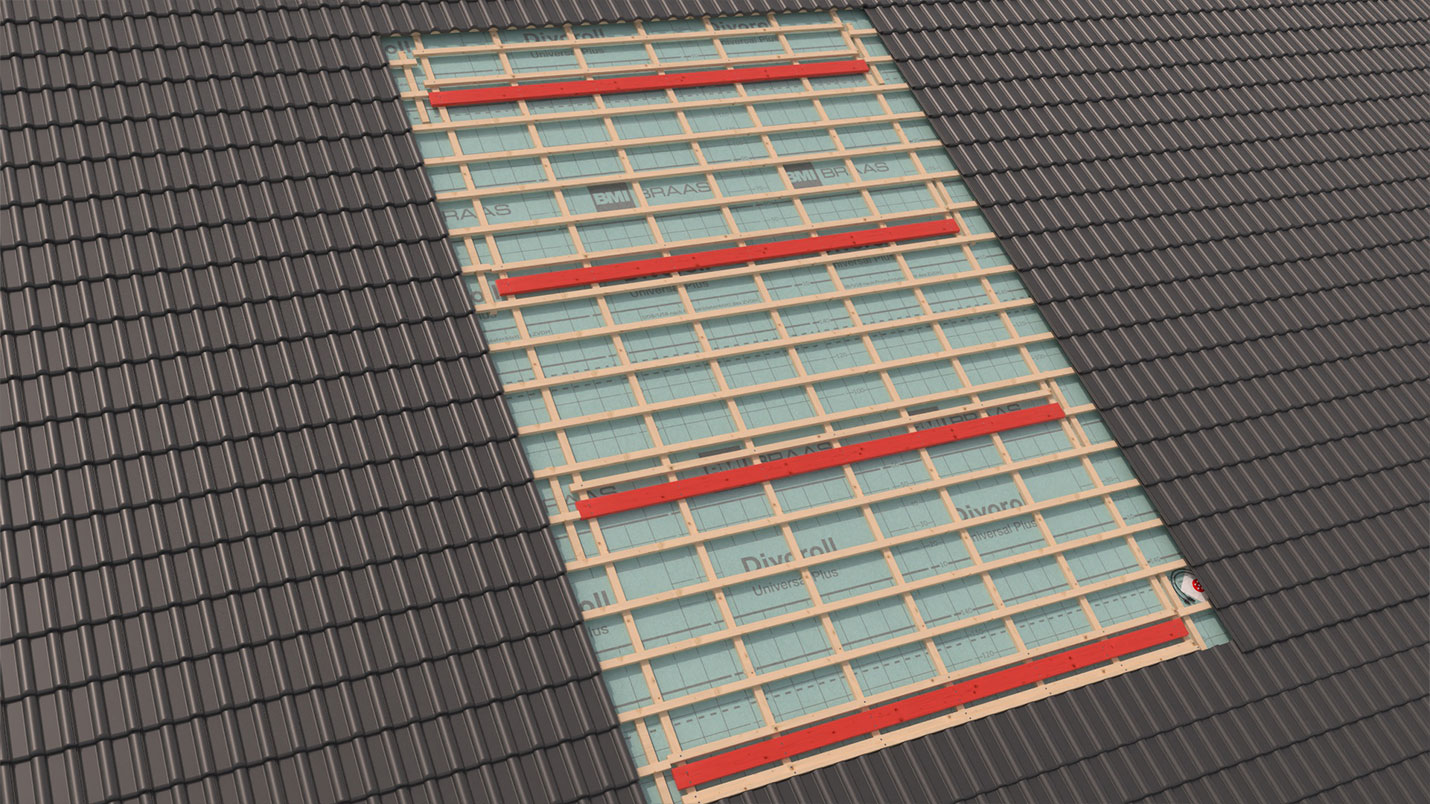
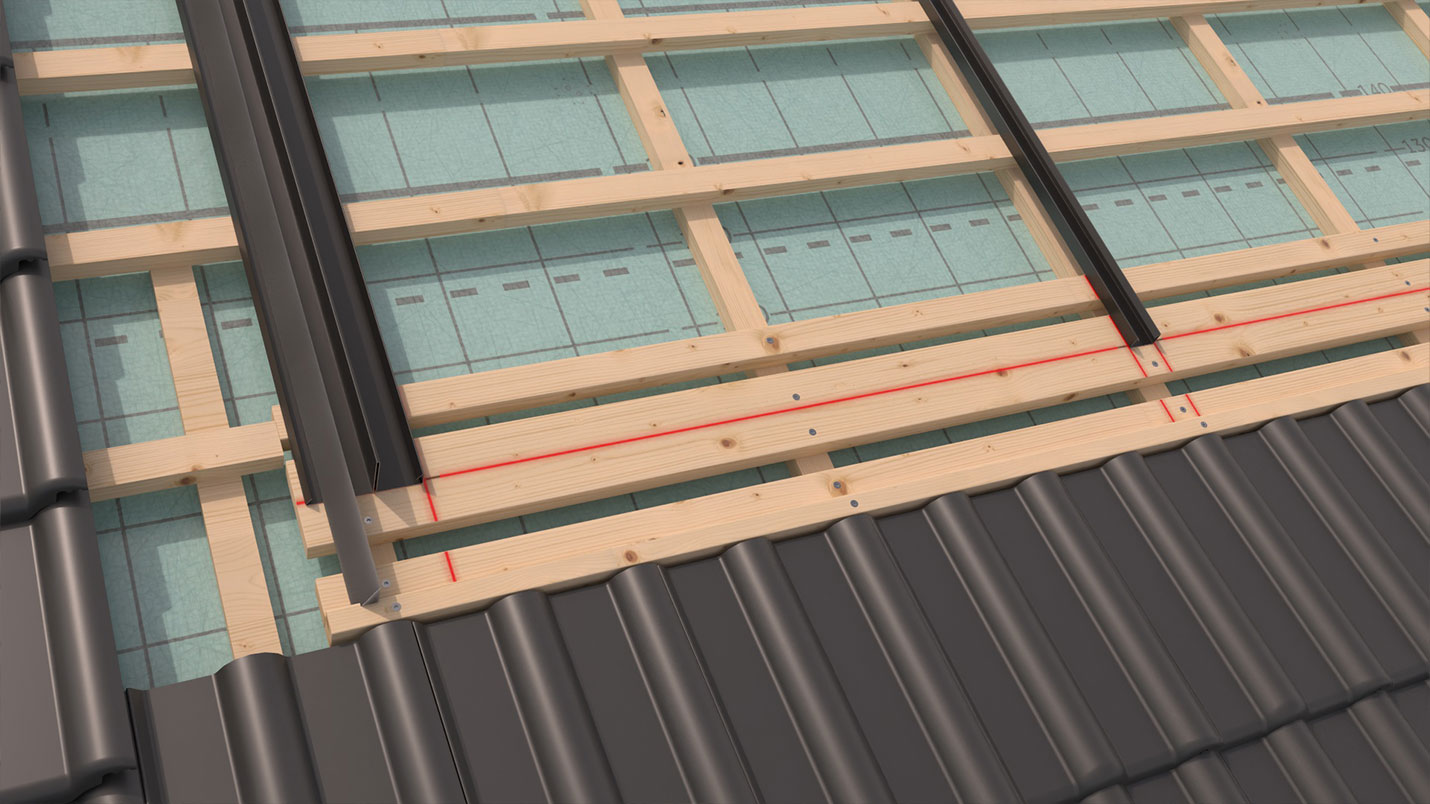
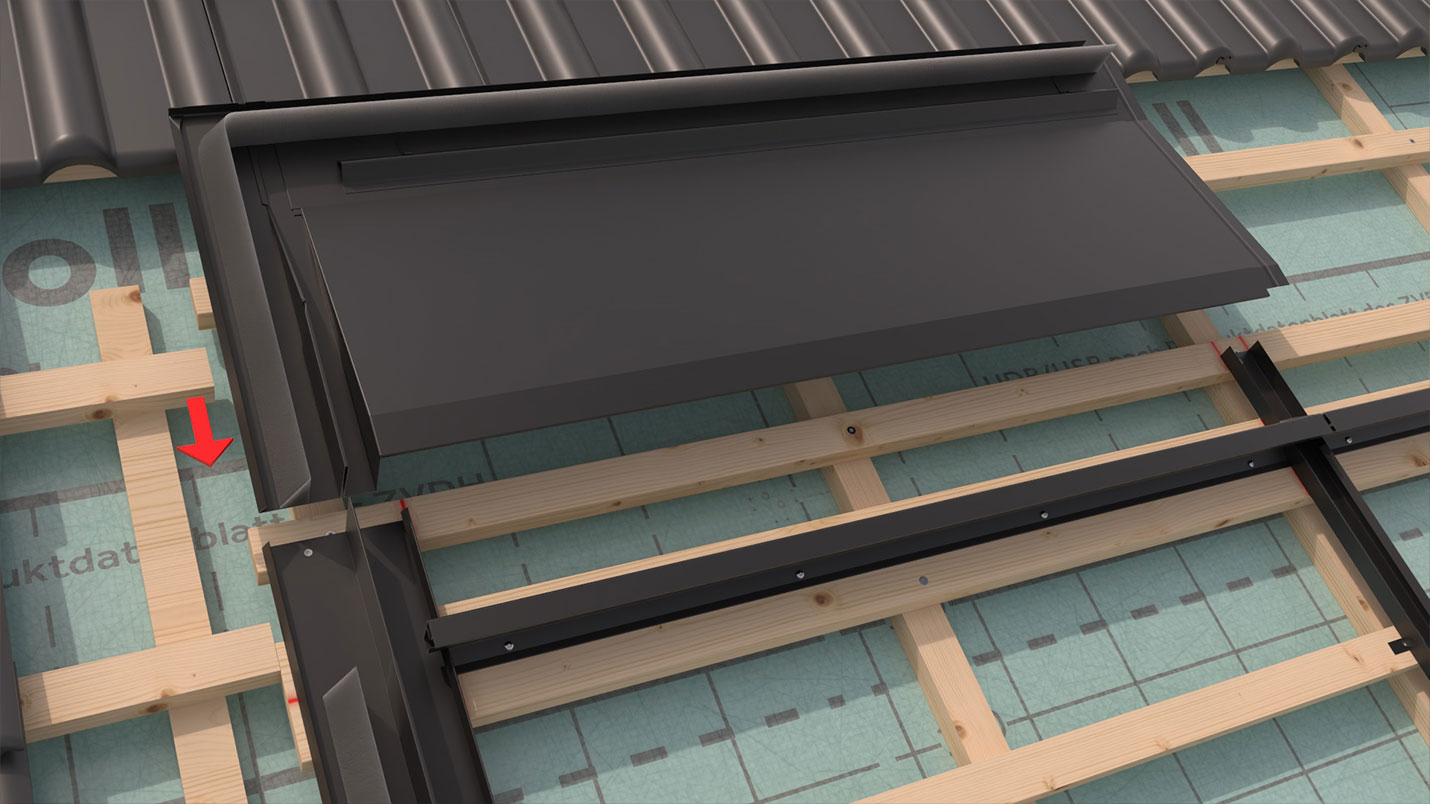
Numerous 3D installation images were created for the installation guide of the fully integrated BRAAS PV Indax system. An aluminum frame accommodates standard solar modules and replaces the roof tiles in the corresponding roof area. The individual visualizations clearly show how frames, mounting brackets and solar modules are integrated into the roof step by step. The complete digital implementation also made it possible to present complex details clearly and comprehensibly.
In addition, detailed product images of the various frame components and molded parts were created.

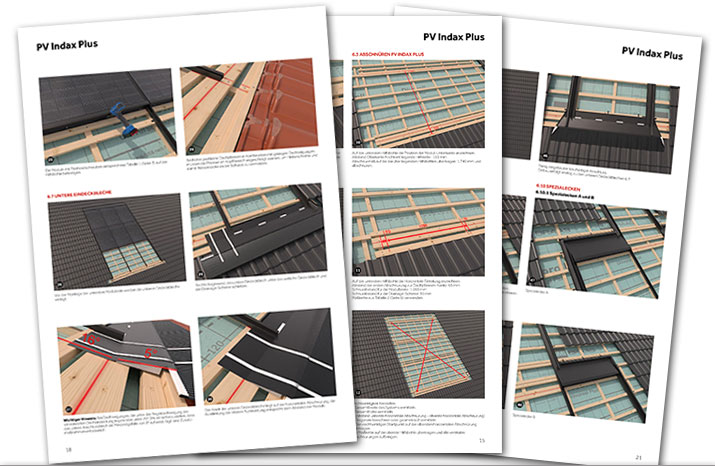
Installation guide for a framed in-roof solar system

How about a free initial consultation for your own 3D installation guide?
Would you like to create a new installation guide or supplement an existing guide with realistic 3D installation images? Perhaps your product regularly undergoes design changes and the existing images need to be recreated again and again? Then let's discuss your product, your installation processes and your planned installation guide in a free initial consultation. Together, we can explore how your installation steps can be presented clearly in 3D and easily updated later when changes are required.
Schedule your initial consultation nowExample: BRAAS PV Premium Installation Guide
BRAAS PV Premium is an in-roof solar system with specially shaped, elongated solar modules. The modules are matched to the height of the respective roof tiles and are installed in place of the roof tiles within the existing roof surface. The individual installation steps for the installation guide were fully visualized in 3D.
A special feature emerged later when the appearance of the solar cells was changed. Since the system had already been digitally built, the affected models could be modified, the images re-rendered and the existing installation guide updated accordingly.
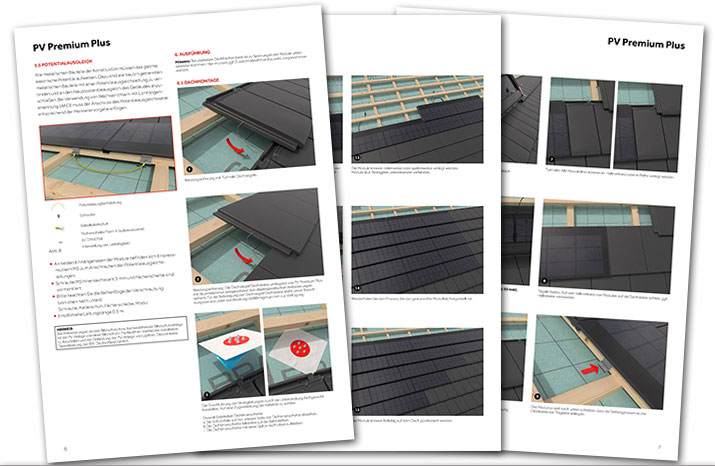
Installation guide for an in-roof solar system
Gallery of 3D Installation Images for In-Roof Solar Systems
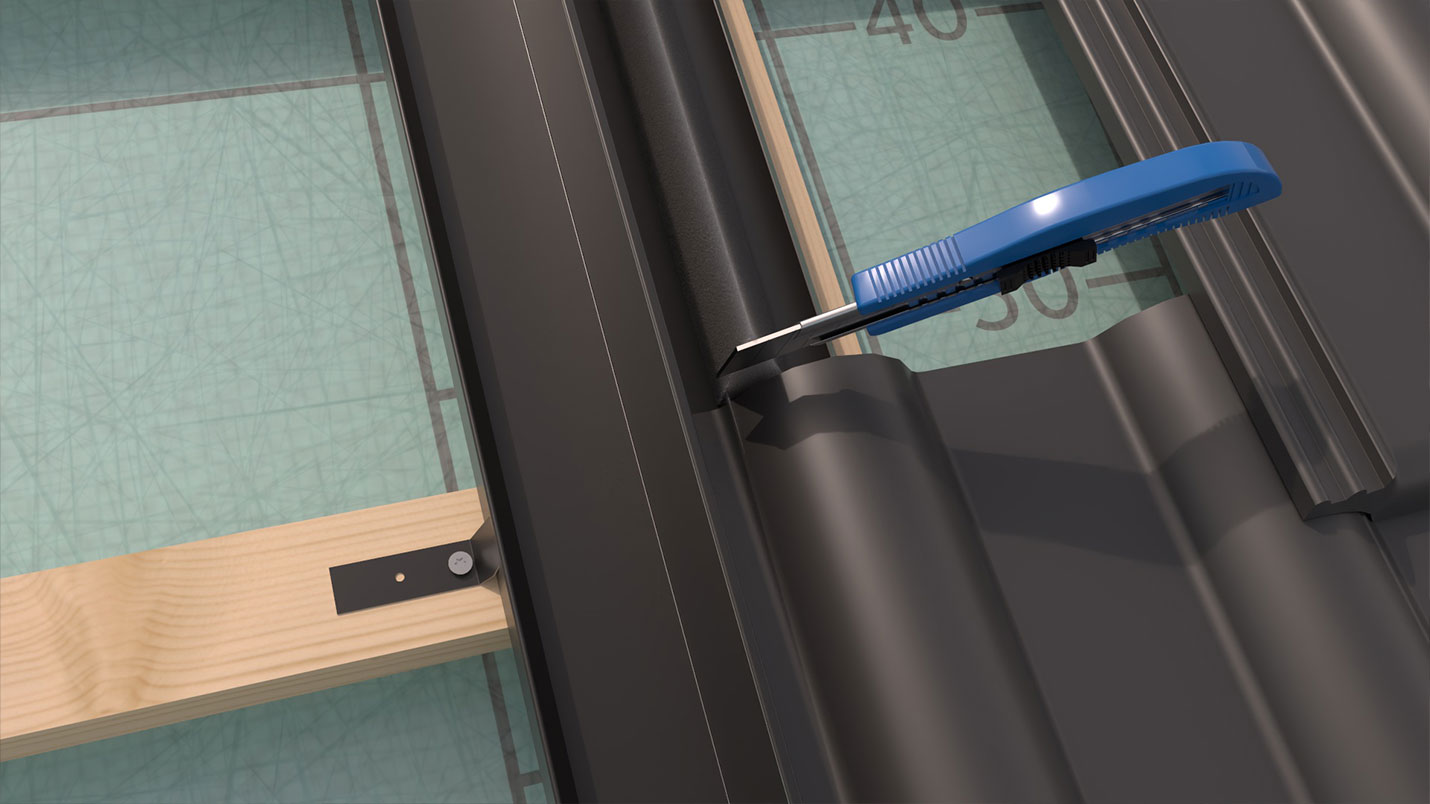
The following images show selected 3D installation images from the installation guides created for BRAAS for its in-roof solar systems. The visualizations show various installation steps, frame components, mounting brackets and the installation of solar modules into the roof surface. The realistic 3D representation shows the construction of the photovoltaic system, the integration of the solar modules into the roof and important details of the installation and assembly process.
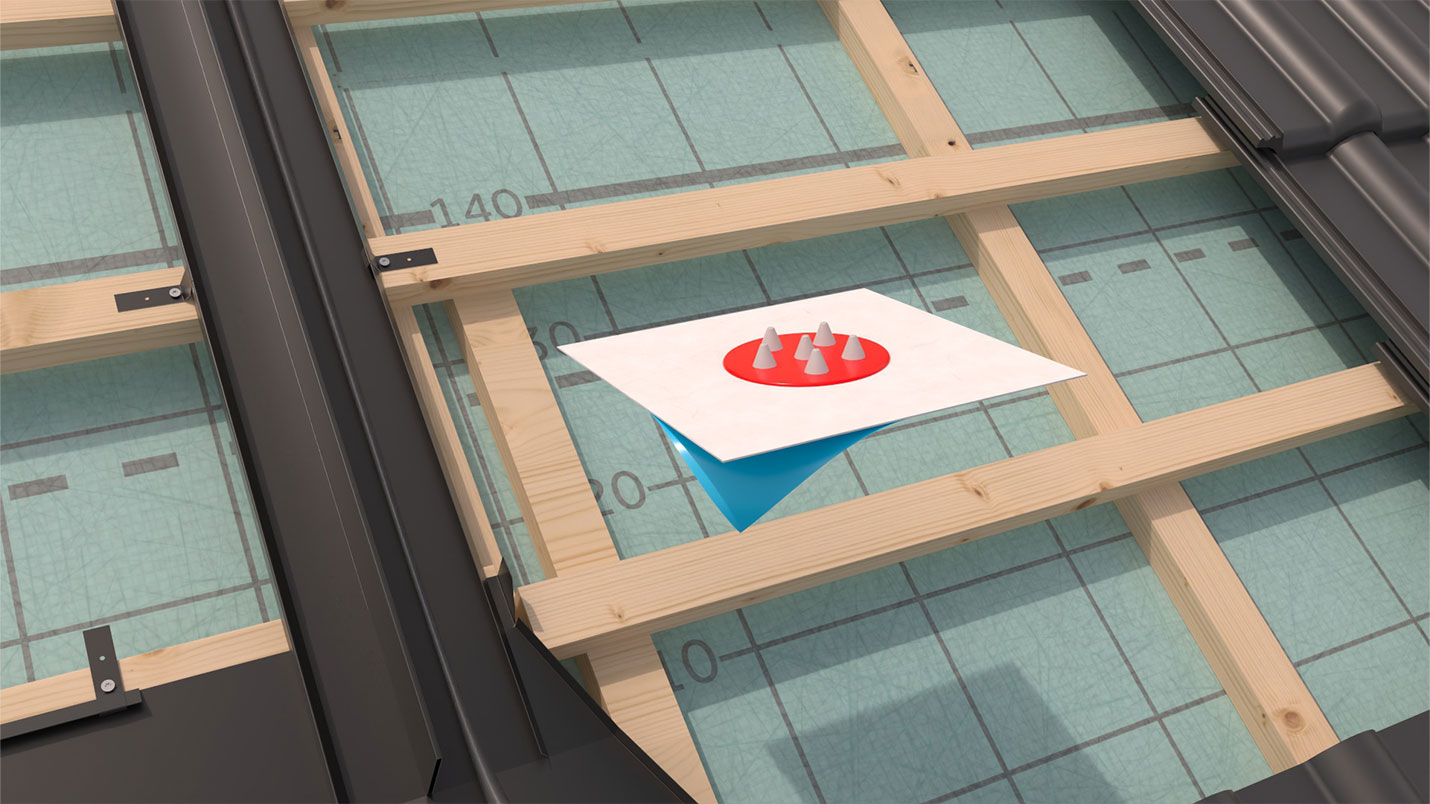
Additional 3D Visualizations for the Installation Guide
In addition to the actual installation images, further technical visualizations were created for the installation guides. This included, among other things, a schematic representation of the wiring diagram, which provides a clear overview of the system's electrical layout.
Individual molded parts, frame components and other components were also visualized separately in 3D. This made it possible to clearly illustrate even smaller components and their exact design and integrate them directly into the technical documentation.
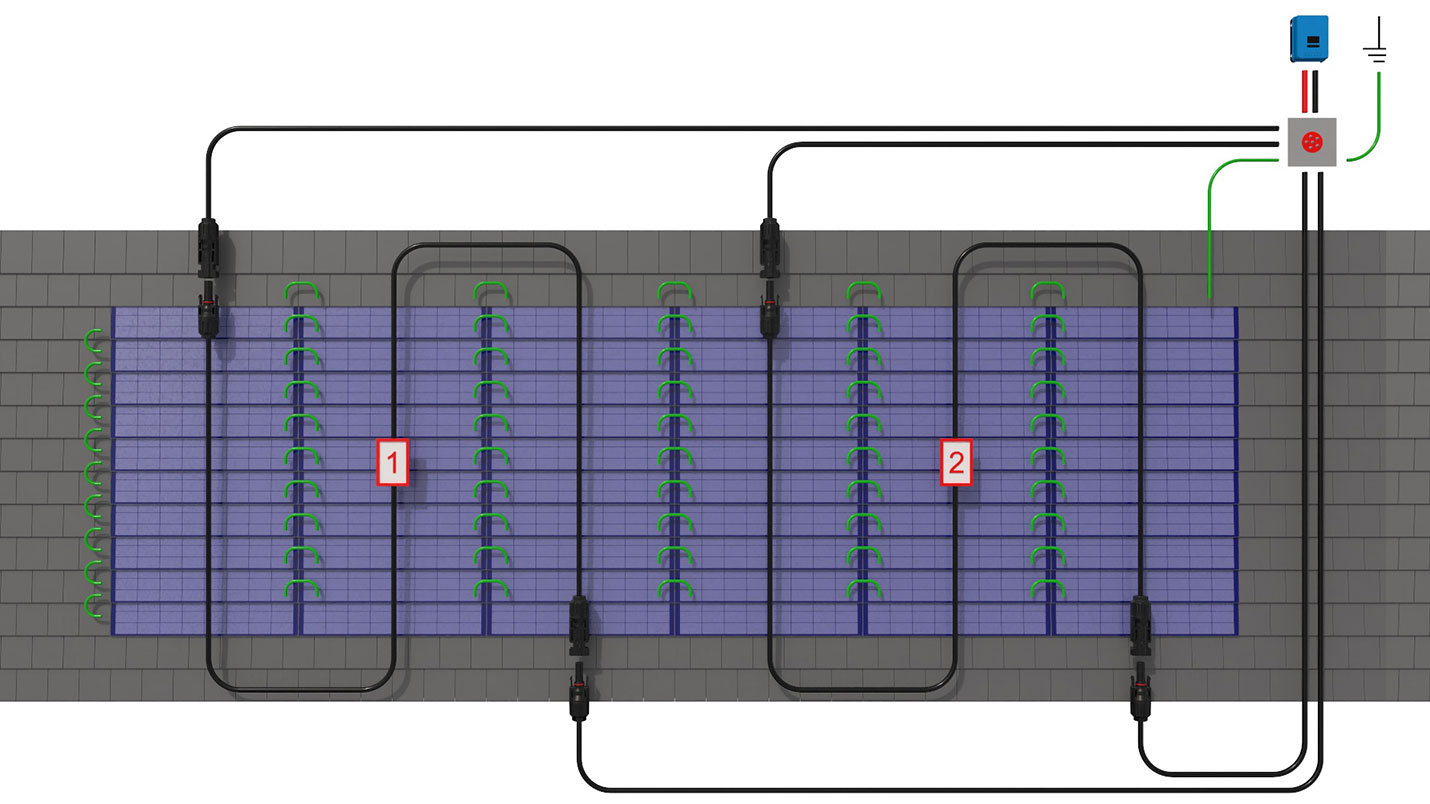
3D-visualized wiring diagram of a solar system

Markus Franke, Solar Applications Engineering
BMI Deutschland GmbH
Flawless execution and two thumbs up for the animation machine!
"Working with Mr. Walgenbach was always to our complete satisfaction. His ability to understand our practical installation processes and translate them flawlessly into clear and engaging illustrations absolutely convinced us. Even afterwards, changes were implemented extremely reliably and quickly. Therefore, we give the Animations-Maschine LTD. a like and a very clear two thumbs up."
Looking to have your own 3D installation guide for solar systems created?
Do you develop in-roof solar systems, photovoltaic systems, solar modules or roof mounting systems and want to present the professional installation process in an easy-to-understand way? With realistic 3D installation images, individual installation steps, frames, mounting brackets and other components can be shown clearly and in detail. This creates an illustrated installation guide that explains the assembly of the solar system step by step and makes even complex installation situations easy to understand.
Animations-Maschine creates customized 3D installation guides, installation images and technical visualizations for solar systems and photovoltaic systems. A single 3D model can also be used to create product images, individual component visualizations and other technical illustrations. Feel free to contact us and let us discuss your project together.
Contact us nowFAQ - Frequently Asked Questions About 3D Installation Guides for Solar Systems and Photovoltaic Systems
What are 3D installation images for an installation guide for solar systems?
3D installation images show the individual work steps involved in assembling and installing a solar system as a realistic digital representation. For example, roof tiles, solar modules, frames, mounting brackets and other components can be visualized in detail. The individual images can then be combined into an illustrated installation guide or assembly guide for photovoltaic systems.
Which solar systems can be visualized using 3D installation images?
In principle, a wide range of photovoltaic systems and mounting systems can be represented in 3D. In-roof solar systems are particularly well suited, as their exact construction and the integration of the solar modules into the roof surface need to be explained. Frame constructions, specialized solar modules, mounting brackets, roof connections and various components of a PV system can also be implemented as 3D visualizations for a technical installation guide.
Can existing CAD data be used for a 3D installation guide?
Yes. Existing CAD data can serve as the basis for the 3D visualization of an installation guide. This makes it possible to transfer already designed components such as frames, mounting brackets and other components into the digital model. This reduces the modeling effort and enables an accurate representation of the actual solar system. Later changes to the CAD data can also be incorporated into the existing 3D model.
What happens if a solar system is structurally modified after the installation images have been created?
With digital 3D production, it is not necessary to photograph all installation images again. Changes to components, solar modules or the construction can be implemented directly in the existing 3D model. Only the affected 3D installation images are then re-rendered. This makes installation guides for photovoltaic systems significantly easier to update when the product or individual components change.
Can product images and individual component images for a solar system also be created from a 3D model?
Yes. Once created, a 3D model can be used not only for the installation images in the installation guide, but also for other technical visualizations. These can include, for example, individual images of frame components, molded parts, mounting brackets or other components of a solar system. Schematic representations such as wiring diagrams can also be visualized on this basis. This turns a digital 3D data set into a versatile foundation for technical documentation and product presentations.
Services rendered in creating the assembly instructions
-

CAD data import
-

CAD model creation
-

Texturing
-

3D visualization
-

Rendering
More 3D Visualizations and Installation Videos for Solar Technology and Photovoltaics
If you are interested in 3D installation guides, installation videos and technical visualizations related to solar systems and photovoltaics, you can find further references from the fields of solar technology, photovoltaic systems and roof integration here. Discover a selection of our successfully completed 3D visualizations for solar modules, mounting systems and technical photovoltaic components. Thanks to numerous projects already completed, we have an extensive library of 3D components, roof structures, materials, tools and technical components from the field of solar technology. These can be efficiently reused for new productions, reducing production times and costs and allowing new projects to be implemented more quickly.
-
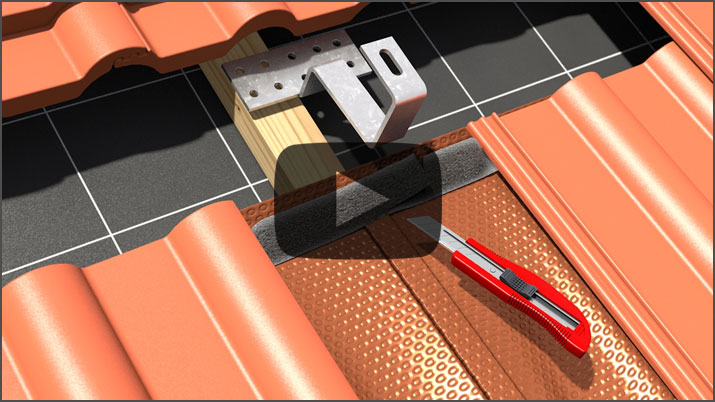
3D Installation Film of a Roof Tile for Photovoltaics and Solar
Want to know how a photovoltaic or solar system is installed on a roof? This installation film shows how it can be done easily.
-
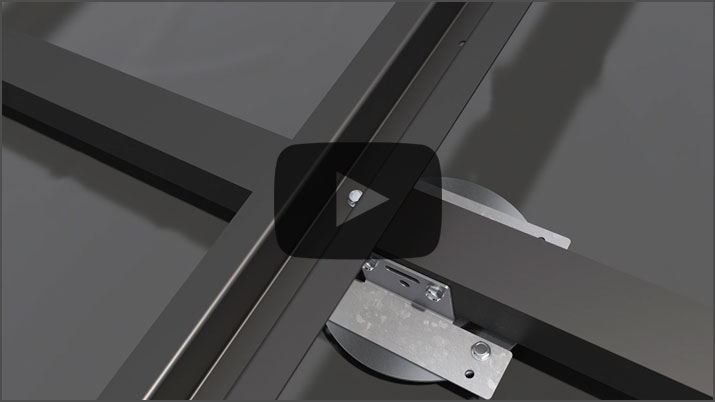
3D Installation Video of Mounting Systems for Roof Constructions
A custom mounting system was developed for elevated roof structures for specialized roof and facade construction. How it is installed is explained in several 3D videos.
-
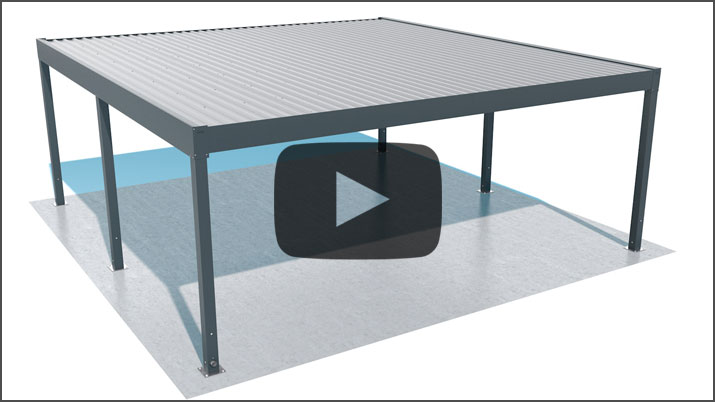
3D Installation Videos for Carports and Aluminum Patio Cover Systems
See how professional 3D installation videos for carports and aluminum patio cover systems are developed. Including CAD data, storyboard, animation and finished installation video.
Everything You Need to Know About Illustrated 3D Assembly Instructions
On the overview page for 3D assembly instructions, you will find comprehensive information about creating digital and illustrated assembly instructions for technical products.
Learn how 3D assembly instructions are created,
what the costs of creating 3D assembly instructions are, and
the benefits of 3D assembly instructions for assembly, service, training and sales.
You will also find numerous reference projects, practical examples and answers to frequently asked questions about technical 3D assembly instructions.
Back to the Overview of All 3D Assembly Instructions